Choosing the right AI accelerator chip is one of the most consequential decisions a hardware startup will make. The choice between NPU, GPU, and FPGA doesn't just affect inference performance — it ripples through your PCB layout complexity, BOM cost, thermal management strategy, power budget, and ultimately your time-to-market. With the global AI chip market projected to reach $295 billion by 2030, the pressure on hardware teams to get this decision right has never been higher. This guide breaks down each option with a manufacturing lens, helping you align chip selection with your product requirements, budget, and production scale.
Understanding the AI Chip Landscape in 2026
The AI accelerator market has matured significantly. Where GPUs once dominated every AI workload, today's hardware teams can choose from a growing ecosystem of specialized processors — each optimized for different points on the performance-efficiency-flexibility spectrum. For startups building hardware products, understanding these trade-offs early prevents costly redesigns downstream.
NPU — Neural Processing Unit
Purpose-built for neural network inference. Delivers 10-30x better TOPS/W than general-purpose GPUs for targeted workloads. Ideal for edge devices with fixed model architectures where power efficiency is paramount.
GPU — Graphics Processing Unit
Massively parallel compute engine supporting both training and inference. Offers unmatched flexibility across model types but at higher power consumption and BOM cost. The default choice for prototyping and multi-model workloads.
FPGA — Field Programmable Gate Array
Reconfigurable hardware that lets you customize the datapath at the silicon level. Provides deterministic latency and the ability to update your accelerator design post-deployment. Best for low-volume, high-reliability applications.
ASIC — Application-Specific IC
Full-custom silicon designed for a single workload. Delivers maximum performance per watt but requires $5-50M+ NRE investment and 12-18 month design cycles. Viable only at high volume or for well-funded startups.
NPU vs GPU vs FPGA: Head-to-Head Comparison
The right choice depends on where your product sits on four critical axes: inference workload type, power budget, production volume, and development timeline. Here's how the three main options stack up.
GPU leads raw throughput; NPU leads efficiency. Modern edge GPUs like the NVIDIA Jetson Orin deliver up to 275 TOPS, while dedicated NPUs from companies like Hailo and Ambarella achieve 26 TOPS at under 5W. FPGAs sit in the middle — their performance depends entirely on your custom datapath design.
NPU wins decisively. For battery-powered or thermally constrained devices, NPUs deliver 10-30x better TOPS/W than GPUs. This translates directly to smaller batteries, simpler thermal solutions, and more compact enclosures — all of which reduce manufacturing cost.
GPU > FPGA > NPU. GPUs run virtually any model architecture. FPGAs can be reprogrammed for new algorithms but require HDL expertise. NPUs are typically optimized for specific operator sets (Conv, ReLU, Pooling) and may struggle with unconventional architectures.
NPU and FPGA win at volume; GPU wins at prototype stage. A dedicated NPU module might cost $8-25 in volume, while an edge GPU module ranges $100-500. FPGA pricing varies widely ($15-200+) depending on logic density. Remember: BOM optimization is about total system cost, not just the chip price.
GPU is fastest; FPGA requires more engineering; NPU depends on SDK maturity. GPU ecosystems (CUDA, TensorRT) have the most mature toolchains. NPU vendors are improving rapidly, but their SDKs can still be a bottleneck. FPGA development cycles are longest due to hardware description language (HDL) work.
How Chip Selection Impacts PCB Design
Your AI chip choice directly determines PCB complexity, layer count, and manufacturing yield. These downstream effects are often underestimated during the architecture phase.
PCB Design Impact Factors
Each chip architecture creates different PCB design challenges that affect manufacturing cost and yield:
- Ball Grid Array (BGA) pitch: High-end GPUs often use 0.4mm pitch BGAs requiring HDI PCBs with microvias — increasing board cost by 40-80% compared to standard 0.8mm pitch designs
- Layer count: GPU-based designs typically need 10-16 layer PCBs for signal integrity; NPU designs may fit in 6-8 layers
- Power delivery: GPUs drawing 50-300W need multi-phase VRMs with heavy copper planes; NPUs at 2-10W need simpler power trees
- Memory interface: GPUs with LPDDR5/HBM require matched-length routing and impedance control across hundreds of traces
- High-speed I/O: PCIe Gen4/5 lanes for GPU cards demand strict signal integrity engineering
For startups, the difference between a 6-layer and a 12-layer PCB can mean $2-8 more per board at low volumes — a significant delta when you're building your first 1,000 units. Working with a manufacturing partner who provides DFM consulting early can help you optimize these trade-offs before they become expensive mistakes.
Thermal Management: The Hidden Decision Driver
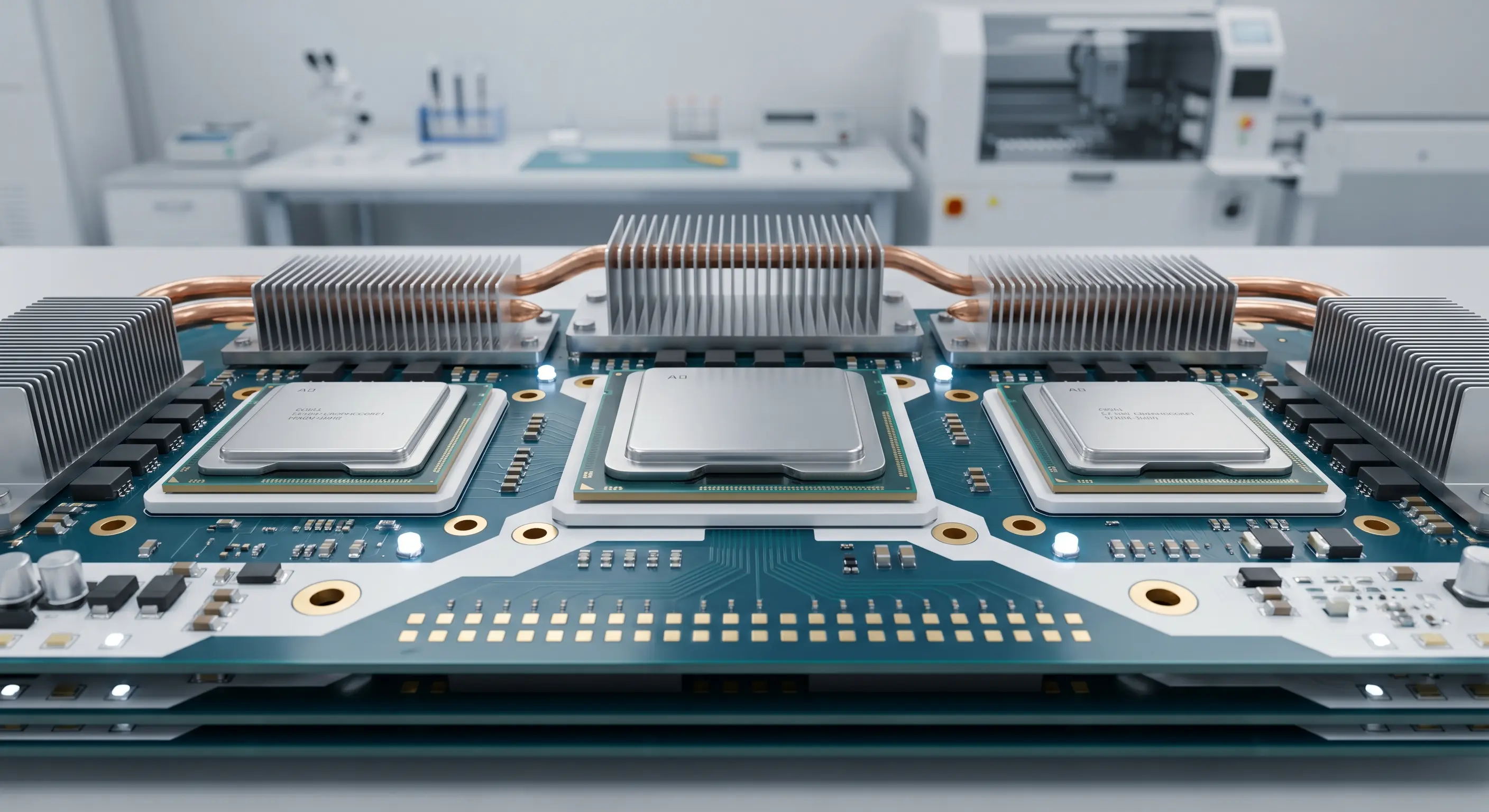
Thermal design is often the constraint that breaks otherwise viable architectures. A GPU that delivers 200 TOPS but requires active cooling may be unsuitable for an enclosed edge device, while a 5W NPU might run passively in the same enclosure.
- Passive cooling (0-5W TDP): Most NPU-based designs can use thermal pads and copper planes on the PCB — no moving parts, higher reliability, lower assembly cost
- Active cooling (5-30W TDP): Mid-range FPGAs and some NPUs may need heatsinks with thermal interface material — adds $1-3 per unit and an assembly step
- Forced-air cooling (30-100W TDP): Edge GPUs often require fans, heatsinks, and designed airflow paths — increases BOM cost by $5-15 and reduces MTBF
- Liquid cooling (100W+ TDP): High-end GPU systems may need cold plates or heat pipes — significantly increases system complexity and manufacturing cost
- Enclosure design: Thermal requirements drive enclosure size, material selection (aluminum vs plastic), and IP rating trade-offs
Decision Framework: Which Chip for Your Product?
Rather than comparing specs in isolation, map your chip selection to your product's specific requirements across these dimensions:
Edge AI / IoT Devices
Choose NPU. Battery-powered cameras, sensors, and wearables benefit from 2-10W power draw. Fixed model architectures align with NPU optimizations. Look at Hailo-8, Ambarella CV2, or Rockchip RK3588 with built-in NPU.
Robotics / Autonomous Systems
Choose GPU or FPGA. Multi-sensor fusion, SLAM, and path planning need flexible compute. Jetson Orin or Xilinx Zynq Ultrascale+ provide the right balance. If deterministic latency is critical (e.g., safety systems), lean toward FPGA.
Industrial Vision / Inspection
Choose FPGA or NPU. Factory environments need reliability and deterministic performance. FPGAs excel at real-time image preprocessing pipelines. NPUs handle inference efficiently. Consider combining both on a single board.
AI Appliances / Edge Servers
Choose GPU. Multi-model serving, model fine-tuning at the edge, and high-throughput inference benefit from GPU parallelism. Consider NVIDIA L4 or Intel Arc for form-factor-appropriate options.
Manufacturing Considerations by Chip Type
Chip selection also affects your NPI process, supply chain risk, and test strategy. Here's what to plan for:
Supply Chain Availability
GPU modules (Jetson, etc.) face periodic allocation constraints. NPUs from multiple vendors reduce single-source risk. FPGAs from Xilinx/Altera have stable supply but long lead times for high-density parts.
Assembly Complexity
GPU BGA packages require precise reflow profiles and X-ray inspection. NPU QFN/BGA packages are generally simpler. FPGA BGA complexity scales with I/O count.
Test Strategy
GPU-based boards need JTAG + functional test at multiple power states. NPU boards can often be tested with simpler functional tests. FPGA boards need boundary scan plus configured functional validation.
NRE vs Unit Cost
FPGA development has high NRE (HDL engineering) but lower per-unit cost. GPU has low NRE but higher per-unit module cost. NPU sits in the middle — moderate NRE with competitive unit pricing.
Multi-Site Manufacturing
Products using standard GPU modules are easiest to build across multiple sites. Custom FPGA bitstreams need version control across factory locations. NPU firmware must be flashed consistently.
Revision Flexibility
FPGAs allow post-production hardware updates via new bitstreams — a unique advantage for evolving AI algorithms. GPU and NPU updates are limited to software/model changes.
Budget Reality: Total System Cost Comparison
Don't compare chip prices in isolation. Total system cost includes the PCB, power delivery, thermal solution, enclosure, assembly, and test. Here's a realistic comparison for a typical edge AI camera product at 5,000-unit volume:
Total System Cost Estimate — 5K Unit Edge AI Camera
- NPU-based design: $35-55/unit — 6-layer PCB, passive cooling, simple power tree, standard BGA assembly
- FPGA-based design: $50-80/unit — 8-layer PCB, modest heatsink, moderate power delivery, higher NRE amortized
- GPU-based design: $80-150/unit — 10-12 layer PCB, active cooling, complex VRM, module-level pricing dominates
At 50,000+ units, the NPU cost advantage widens further due to simpler manufacturing processes and higher yield rates on less complex PCBs.
Working with Your Manufacturing Partner
Chip selection decisions should involve your manufacturing partner from the architecture phase — not after the design is frozen. A partner with DFM expertise across AI chip types can help you avoid common pitfalls.
- Share your thermal simulation data early — your CM can validate whether the proposed cooling solution is manufacturable at scale
- Request BGA via-in-pad recommendations — different chip packages have different via escape patterns that affect PCB cost
- Align on test coverage — AI chips need both structural test (shorts/opens) and functional test (inference accuracy), which affects test fixture design
- Plan for firmware provisioning — FPGA bitstream flashing and NPU firmware loading need to be integrated into your production line flow
- Validate supply chain alternatives — your CM should help identify second-source options for critical AI components
Choose the Chip That Fits Your Product — Not Just the Benchmark
The AI chip market offers more options than ever, but more choices mean more ways to over-engineer or under-spec your product. The best AI hardware startups don't chase peak TOPS — they match chip architecture to real product requirements and optimize the entire system for manufacturing efficiency.
Whether you're building a 2W edge sensor or a 200W AI appliance, Illuminious helps you navigate chip selection through a manufacturing lens — with DFM consulting, NPI support, and PCBA services in our own factory in Shenzhen. Talk to our engineering team about your AI hardware design.